
Discover if AI Studios Deepbrain is the best AI video editing software in 2025. Explore features, pricing, pros & cons, and real user feedback.
Struggling to edit videos fast and professionally? In the ever-evolving world of content creation, AI video editing software is revolutionizing how videos are made. One of the key players in 2025 is AI Studios Deepbrain, a powerful tool designed to simplify video production using AI avatars and script-based generation.
This review dives deep into everything you need to know about the platform—updated for 2025—so you can make an informed decision. Whether you’re a marketer, educator, or content creator looking to save time and money, this is for you.
Ready to revolutionize your video editing? Try AI Studios now and experience the future of content creation.
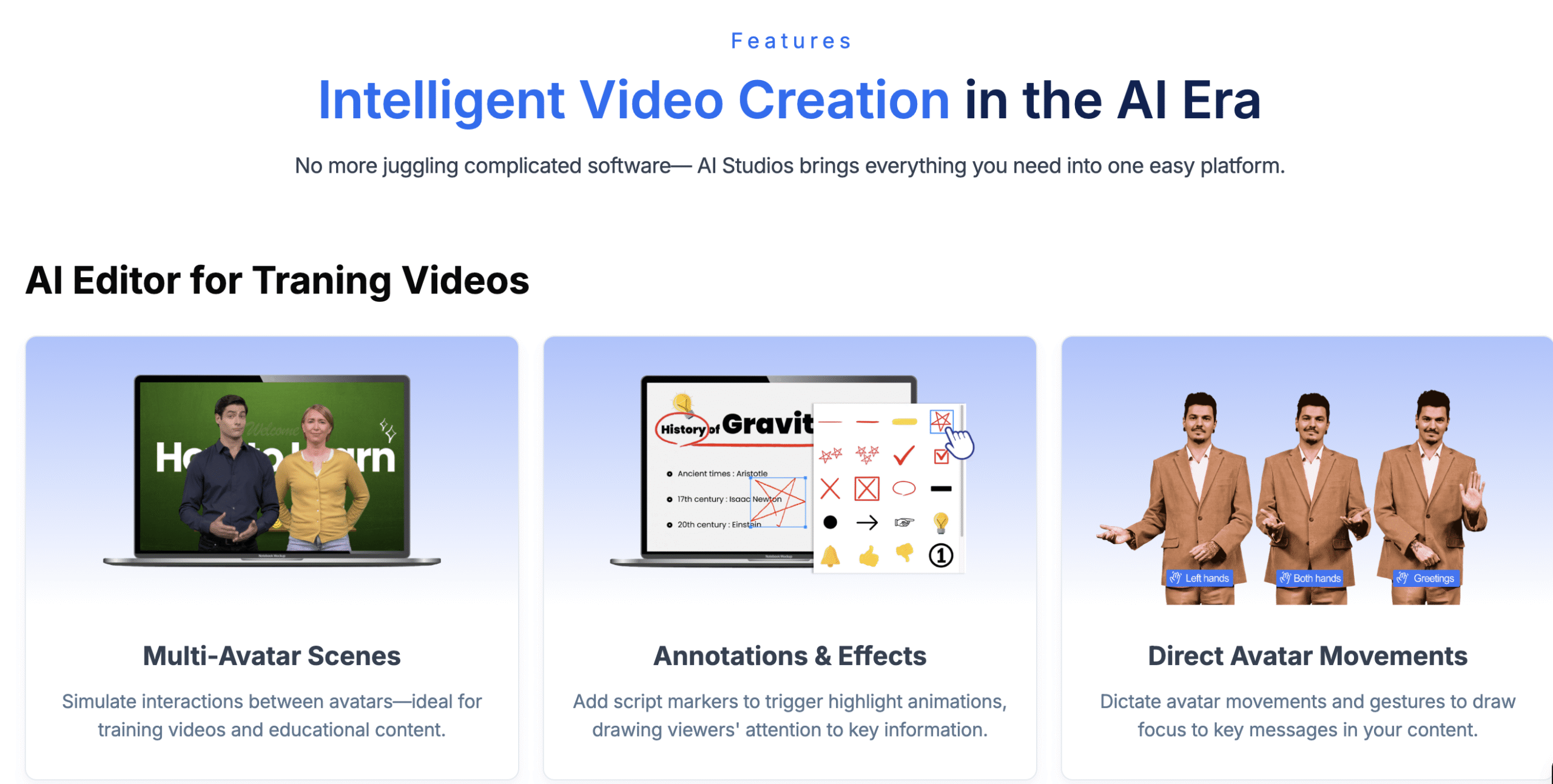
Table of Contents
What Is AI Studios?
AI Studios by Deepbrain is a cloud-based AI video editing software that lets you create videos by inputting a script and choosing an AI avatar. The platform generates lifelike presenters who speak your text naturally in multiple languages and accents.
This tool is designed for:
- Marketers who want quick explainer videos
- Trainers and educators producing e-learning content
- Entrepreneurs and YouTubers seeking faceless, multilingual videos
Key Features in 2025
AI Studios has evolved into a powerful content creation engine. Here’s what it offers today:
- 200+ Realistic Avatars: Diverse options with high facial animation accuracy
- Multilingual Voice Synthesis: Supports over 80 languages, regional accents included
- Emotion Controls: Fine-tune the tone of your avatar for different messaging styles
- Custom Avatars: Upload a 1-minute video to create your own avatar (Enterprise only)
- Unlimited Video Length: In paid plans, videos can go up to 30 minutes
- Commercial Use Rights: All plans (including free) allow content for business use
- No Editing Skills Required: Everything is drag-and-drop
Interface & User Experience
The platform is praised for its clean UI and streamlined workflow:
- Step 1: Choose an avatar
- Step 2: Paste or write your script
- Step 3: Customize layout (background, music, logo)
- Step 4: Export in HD
Even if you’ve never used a video editor before, you’ll be able to produce a professional-grade video in under 10 minutes.
Compared to HeyGen, AI Studios is slightly more minimalist but easier to use. It also loads faster and feels lighter than Colossyan.
Pricing Breakdown (2025)
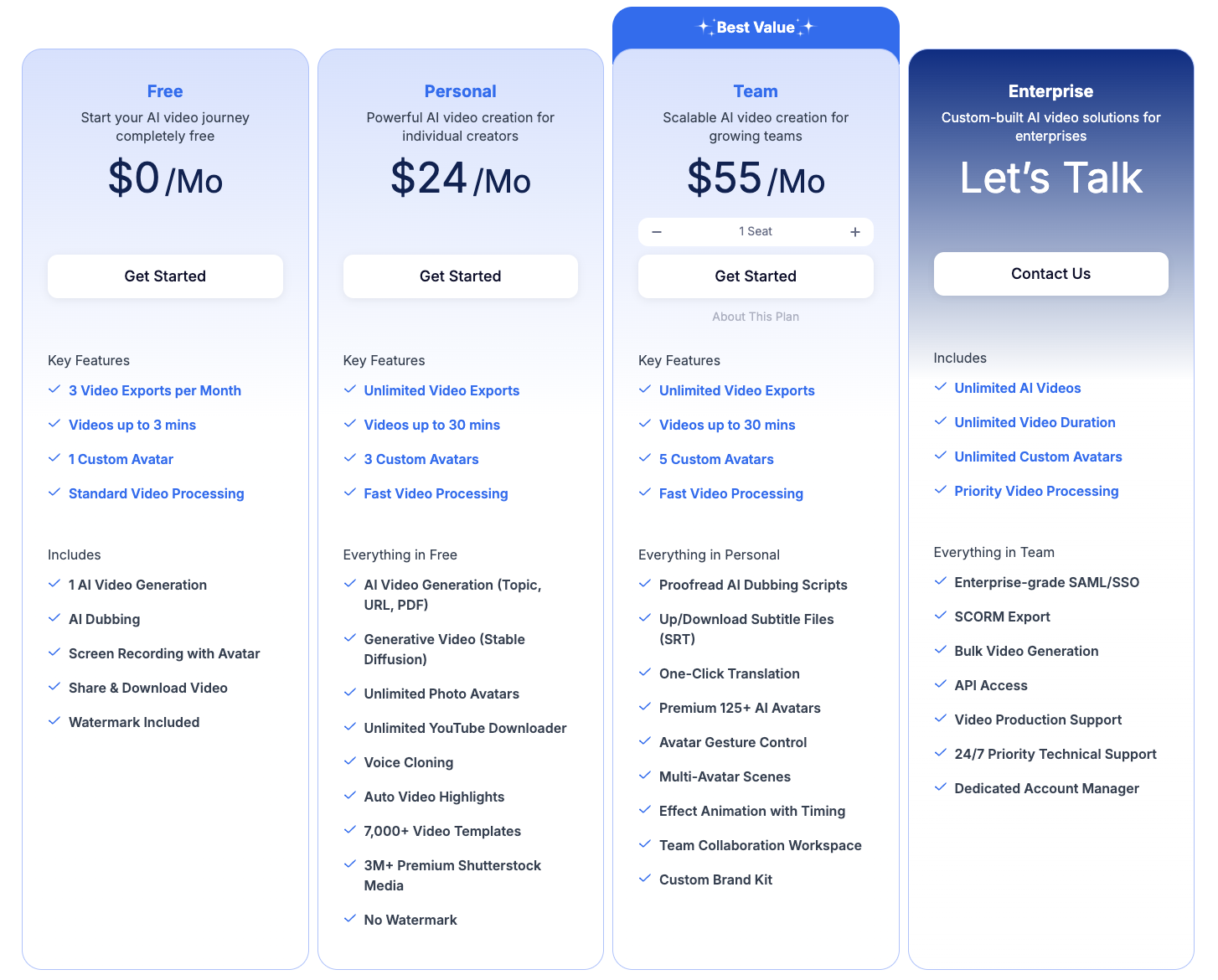
Here’s the latest pricing (monthly billing, per official source):
| Plan | Monthly Price | Key Features |
|---|---|---|
| Free | $0/mo | 3 exports/month, up to 3-min videos, basic avatars |
| Personal | $24/mo | Unlimited exports, videos up to 30 mins, HD output |
| Team | $55/mo (1 seat) | Same as Personal, includes collaboration, scalable seats |
| Enterprise | Custom pricing | Unlimited AI videos, custom avatars, API integration |
Annual billing gives you 20% off.
Strengths & Weaknesses
| ✅ Pros | ❌ Cons |
|---|---|
| Lifelike avatars and voiceovers | Limited scene-based editing compared to HeyGen |
| Free plan available | Custom avatar creation is Enterprise-only |
| Easy to use, no editing experience needed | No mobile app yet |
| Supports over 80 languages | Script length limit on Free plan |
| Budget-friendly for solo creators and small teams | AI avatars aren’t yet expressive in complex tone shifts |
Who Is It For?
AI Studios is great for:
- Marketers: Fast turnaround for social videos, ads, and promos
- Trainers & Educators: Generate training videos in multiple languages
- HR & Internal Comms: Share updates without needing presenters
- YouTubers: Create faceless explainer content for multiple channels
- Agencies: Scale content with team plans and unlimited usage
If you want professional-looking videos without filming, this is one of the best AI video editing software tools on the market.
Real User Feedback in 2025
Here’s what real users are saying about AI Studios by Deepbrain across trusted platforms like G2, Trustpilot, and Capterra:
🗣️ Marketing Director, SaaS Company (via G2)
“We’ve automated most of our internal comms and training videos with AI Studios. The avatars are surprisingly lifelike, and the ROI has been immediate.”
🗣️ Freelance Content Creator (via Trustpilot)
“I was skeptical at first, but after a few test runs, I subscribed. My clients think I have a full production team behind me.”
🗣️ HR & L&D Manager, Enterprise Sector (via Capterra)
“The ease of use is unbeatable. Even our non-technical staff can create professional onboarding videos without external help.”
🗣️ Small Business Owner (via G2)
“I started with the free plan and upgraded within days. It’s like having a presenter on-call 24/7 for less than the cost of a mic.”
🗣️ Online Course Instructor (via Trustpilot)
“AI Studios lets me produce lessons in English and Spanish without hiring voice actors. That’s a game-changer for global reach.”
Final Verdict
AI Studios by Deepbrain is one of the top contenders for the best AI video editing software in 2025. It’s intuitive, scalable, and produces videos that look polished and professional.
If you want to:
- Create videos without filming yourself
- Scale multilingual content
- Save time and money on production
…then AI Studios is a must-try.
👉 Try AI Studios → https://www.aistudios.com
FAQ About AI Studios Deepbrain
1. Is AI Studios free to use?
Yes, there’s a Free plan with 3 video exports per month and up to 3-minute video lengths. Perfect for testing it out.
2. Can I use the videos commercially?
Yes. Even the Free plan includes commercial usage rights.
3. What makes it better than other tools like HeyGen or Colossyan?
AI Studios is faster to learn, more affordable, and offers some of the most lifelike avatars in the industry. HeyGen wins on scene control. Colossyan is strong for remote team workflows.
4. Can I make my own avatar?
Yes, but this is only available on the Enterprise plan. You’ll need to provide a short reference video.
5. Does it work on mobile?
Currently, AI Studios is web-only, with no dedicated mobile app.
- ✅ Best AI Video Editing Software – Colossyan Review
- ✅ HeyGen Review – Best AI Video Editing Software